Which photos make the best games, and how one is picked
By Duncan, who runs CamJam.Fun. Published October 27, 2026. Updated November 16, 2026.
A good game starts with a photo that gives it something to work with. It does not need to be perfect. This guide explains how a photo becomes a game, what each of the nine game types wants from a picture, and how to fix the usual problems.
An example made from a picture we drew. Make a game from your own photo.
This example comes from our photo brick breaker page.
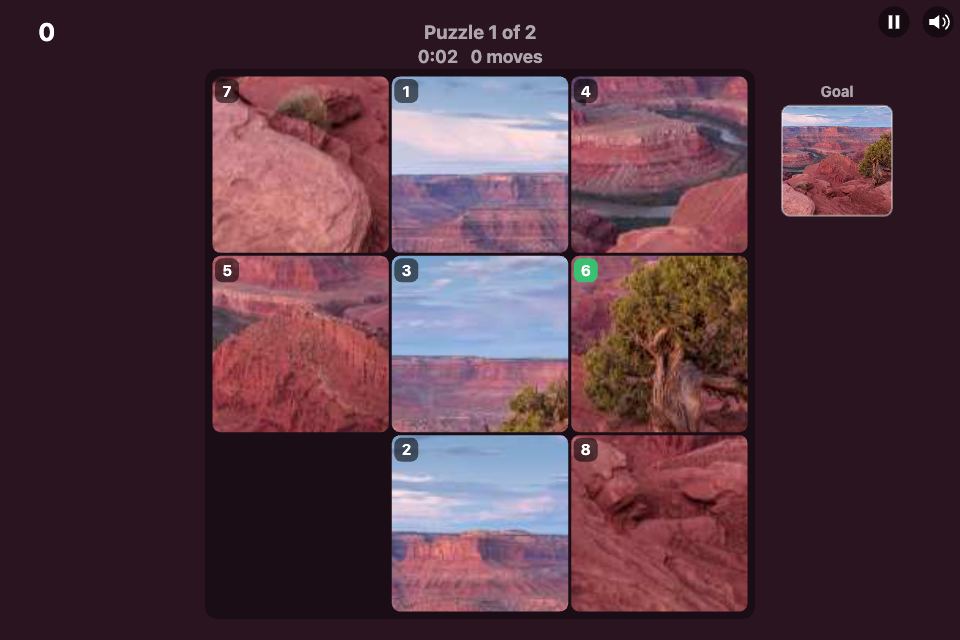
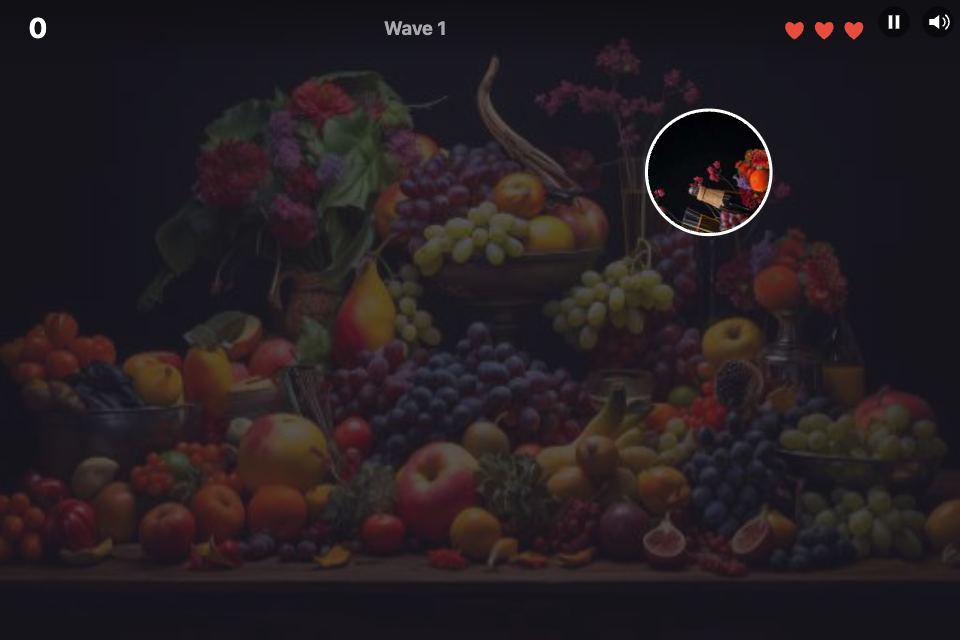
Examples made from real photos
What happens after you upload
- Your browser shrinks and re-encodes the photo. That keeps the upload small and removes location and camera data from the file.
- An AI checks that the photo is suitable for a site used by all ages. If it is not clearly fine, no game is made.
- The AI describes what is in the photo, notices any text, and ranks the games that suit it, best first.
- The best fit is used most of the time and another good fit now and then. Occasionally a photo suits none of the nine, and the site writes a custom game for it, which takes noticeably longer.
- The game is saved privately with its own link, ready to play.
Three things every game needs
- Contrast. Parts of the picture should look different from each other. A tree against the sky is better than a grey wall.
- A clear subject. One main thing, such as a face, a pet, a toy or a page of text, gives the game something to build around.
- Even light. Dark photos are hard to read and glare hides detail. Daylight from a window is ideal.
What each game wants from a photo
Because the AI ranks games by what it sees, the subject of the photo steers the result. Vehicles lean towards the racing game, food towards the slicing game, sports towards the soccer game, and pages of real text towards the quiz.
- Sliding puzzle: cut from the square middle of the photo, so keep the subject central. Plenty of colour and shape keeps every piece distinct.
- Memory match: each card comes from a different part of the photo, so a busy scene such as a garden, a shelf of toys or a crowd is best.
- Quiz: notes, worksheets, signs and labelled diagrams, with large, sharp text and nothing cut off at the edge.
- Brick breaker: the photo is revealed as the bricks break, so a single bold subject or a landmark is the most rewarding to uncover.
- Platformer and space shooter: the photo sits in a small frame as the hero or the ship and also appears in the background. A face, pet or toy with a clear outline works best, and the enemies and collectables are named after what is in the picture.
- Racing game: the photo is framed on the car roof and a dimmed copy scrolls past as the roadside. Cars, bikes, buses and toy vehicles suit it.
- Slicing game: round pieces of the photo are thrown up to be sliced, so strong colours help. A fruit bowl, a pizza or a plate of cakes is the natural fit.
- Soccer game: the photo is printed on the ball and a dimmed copy fills the stadium behind the goal. Keep the subject central, because the ball is round.
Getting the game you want
The home page chooses the game, and the same photo can give a different one on another try. If the first result is not what you hoped for, upload again, or change the photo a little: step closer to the subject, or crop to the part that matters.
For one particular game, open that game's page and tap Use your own photo. It builds that game from your picture on your device, with nothing uploaded. The quiz is the one exception worth knowing: on its page your photo is paired with general sample questions, because only the home page reads a photo and writes questions from it.
Changing a game after it is made
Type a change request in your own words, such as "add a boss", or tap a preset chip. On a ready-made game, simple changes such as the colours, the name, the difficulty or the quiz questions are a quick settings edit. Anything bigger is made to the game code itself. If a change does not apply cleanly, the site tries again, and as a last resort rewrites the whole game.
Common problems and fixes
Can you see the main subject in under a second, and is the picture bright and sharp? If not, one of these usually fixes it.
- Too dark: move near a window or turn on a lamp, and avoid the flash.
- Blurry: tap the subject on your phone screen to focus, and hold still.
- Too far away: step closer so the subject fills at least a third of the frame.
- Cluttered: move the clutter out of the shot, or crop to the part that matters.
Questions
Can a screenshot work?
Yes, as long as it is clear. A screenshot of text can become a quiz, and a screenshot of a picture can become a puzzle.
Does the photo need to be high resolution?
No. The photo is shrunk in your browser before it is sent, so an ordinary sharp phone photo is plenty.
Why did my photo not become a game?
If the photo does not look suitable for all ages, or the check cannot give a clear answer, no game is made. Try a different photo.
Try it
- Turn a picture into a game
- Photo sliding puzzle
- Photo memory game
- Photo quiz maker
- Picture to quiz
- Photo brick breaker
- Photo racing game
- Photo slicing game
- Photo soccer game
About the author
Duncan runs CamJam.Fun, a small independent project that turns photos into games. The site is free and paid for by advertising. You can reach him from the Contact page.